






It wouldn’t be wrong to say we live in an Android or iOS world. The two leading-edge operating systems today have the largest market shares. We will get to the statistics in the later part, but before that, take a look at the people around you. Someone would be using Safari to browse the internet on their iPhone, or someone would be browsing social media on their latest Android phone. Though previously, many thought Apple would be the most dominant OS, the facts today prove that it’s an Android-dominated world.
As per 2023 statistics, Android has a share of 71.77%, while iOS accounts for 27.6% of the mobile OS market. The report also says that Android sales are rising in the US, Europe, Japan, India and China. The popularity of Android means most company employees are likely to use Android for both work and personal purposes.
Android devices for business have access to critical data and can cause serious security issues if hacked, lost, or stolen. With an Android device management solution, IT departments can manage a company’s mobile devices and keep them secure. When devices are managed, the workforce becomes flexible and productive, aligned with the organization’s policies.
Android device management allows IT admins to manage and secure Android devices in the enterprise. It provides device visibility, content management capabilities, update scheduling, silent installation/uninstallation of apps, kiosk mode, security alerts, geofencing and location alerts to lock lost or stolen devices or remotely wipe the data.
The popularity of Android brings us to a plethora of Android MDM solutions available in the market. In this article, we will compare the top Android MDM options used by businesses to manage and secure Android devices in their enterprises.
Top Android MDM Solutions of 2023
Every Android MDM solution has different features and pricing plans. One has to look for a solution that matches their requirements the most. Let’s check out some of the top-rated MDM tools in the market.
- Scalefusion
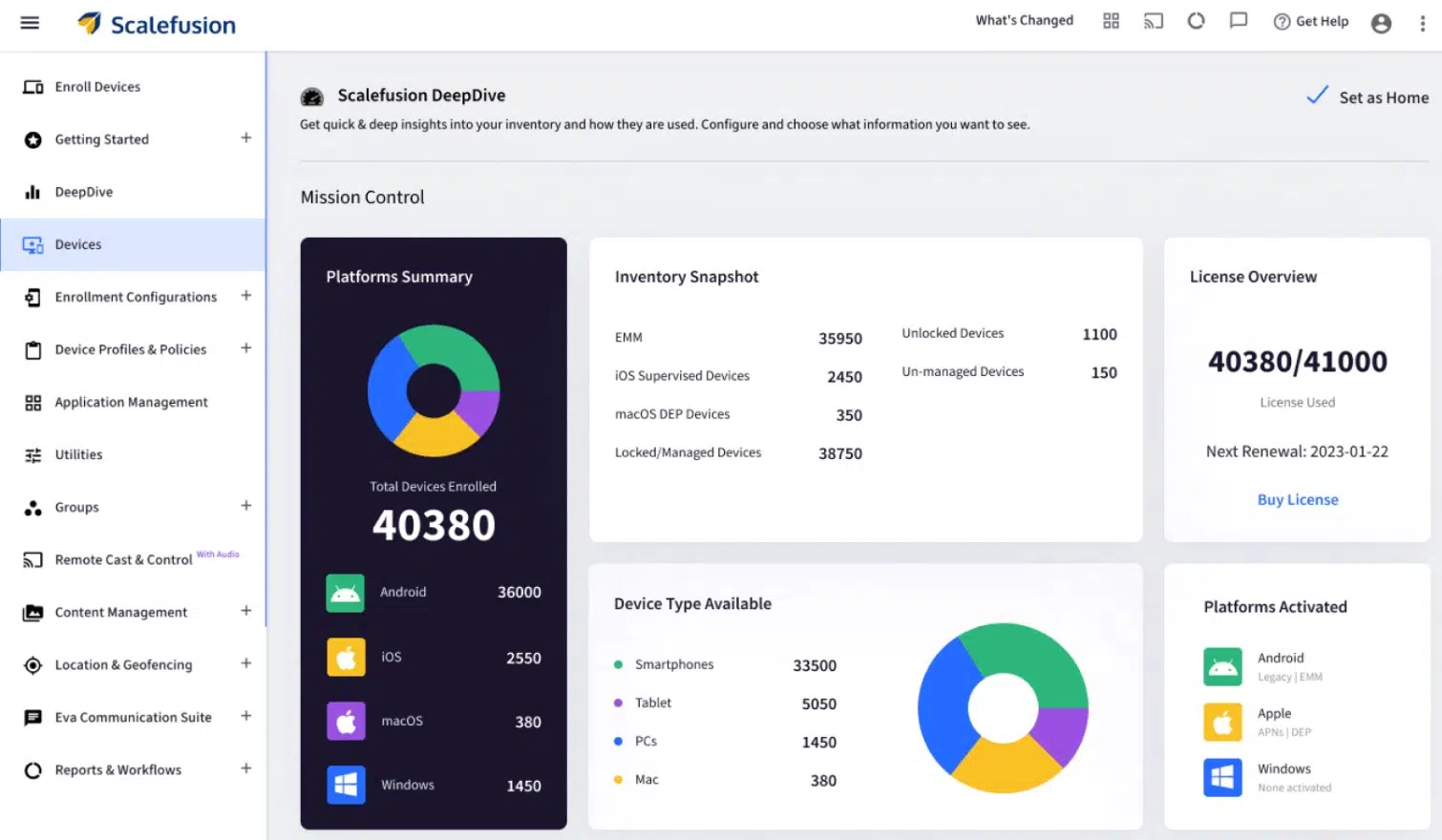
Scalefusion is one of the best Android device management solutions in the market. It simplifies device-related functions of IT admins like managing, monitoring and securing an Android fleet of devices. If your operations are dependent on diverse devices running on different platforms, Scalefusion is the best choice. It has the best capabilities for app management, content management, kiosk mode, security management, location tracking, network settings, etc.
Scalefusion MDM caters to smartphones, tablets, kiosks, unattended devices, rugged devices, POS systems or custom devices that run on Android.
Scalefusion has a flexible pricing structure to suit companies, from SMBs to big enterprises, starting at $2 per device/ month billed annually. Currently, Scalefusion is running an offer for multi-year contracts on the ongoing pricing plan. It also offers a 14-day free trial and allows users to experience all the features during the said period
| Pros Affordable pricingEasy-to-use interface Remote wipe Remote Cast and Control with VoIP calling On-premise and cloud-based deployment |
Cons
No support for ChromeOS |
- Workspace ONE
Workspace ONE is a comprehensive enterprise mobility solution. The Android device management features include mobile security, app management and system updates. The UEM console allows IT admins to perform remote administrative functions. Workspace ONE is powered by VMWare Airwatch. It enables IT admins to manage the lifecycle of devices and apps. Its integration with Android Enterprise empowers mobility by enabling scalability, fully managed device mode, support for work profile mode and dedicated device management. It supports both on-premise and cloud-based services. Workspace ONE offers a free trial, and the subscription-based pricing starts at $3.78 per device/month.
| Pros Good customization featuresIntegrated user experience UI is easy-to-use |
Cons Does’nt integrate well with all systems and platforms |
- Miradore
Miradore Android device management solution with Android Enterprise manages and controls Android devices. Miradore supports two Android device management modes, i.e, work profile mode and fully managed device mode. Miradore Android MDM features include app management, faster device onboarding and enrollment, device management across different operating systems, device-level policies, and high-end security of corporate information. Miradore is a cloud-based Android MDM and supports version 6 and newer. Miradore’s pricing plan starts at $2.75 per device/month and a 14-day free trial option as well.
| Pros Easy to enroll devices Easy to setup free version |
Cons Documentation is very basic Free version does not have full functionalities |
4. Ivanti Ivanti’s MDM solutions manage and secure all Android devices and consistently enforce security policies without affecting user privacy. Ivanti’s Android device management solutions empower the frontline workforce by providing them safe access to apps and data and getting their work done without compromising on their flexibility. Ivanti Android MDM solution integrated with Google Zero-touch make it easy for IT admins to manage devices in bulk and schedule OS and security updates. It also supports rollout of BYOD using Work Profile for corporate data security while maintaining user privacy. Ivanti provides a free trial. However, its pricing plans are not mentioned explicitly, and one has to contact the provider to get further information.
| Pros Efficient security management Easy-to-use interface |
Cons Support lacks technical expertise |
5. Microsoft Intune: Microsoft Intune is an endpoint management solution that allows IT admins to manage devices across various platforms, one of them being Android. Intune can also manage systems across multiple environments, including servers, virtual environments and mobile devices from a single management console. Intune Android device management solutions enable secure access to corporate email, data and applications. Its security features support endpoint protection from malware and precautionary vulnerability identification within the monitored environment. Microsoft Intune provides an on-premise model, and its pricing starts at $8.25 per user/month. It also offers a one-month free trial.
| Pros Good tech support The upgraded interface is easy to use |
Cons It has a steep learning curve |
Conclusion
Android MDM solutions are comprehensive solutions to manage Android devices while ensuring productivity and mobile device security. MDM solutions help organizations deploy, manage and secure corporate endpoints from a centralized console. Android device management solutions enable businesses to achieve the required control over corporate data and apps, while not affecting the mobile experiences users enjoy using Android devices.
The list above covers the most preferred Android MDM solutions and the ones creating a buzz in 2023, making it easy for you to have a comparative study. Choose the best Android device management platform that best suits your management goals.


