








In the world of gaming, performance is everything. Smooth gameplay, responsive controls, and immersive experiences all depend on your system’s ability to deliver a high frame rate. That’s where FPS (Frames Per Second) testing becomes crucial. By understanding how to measure and optimize your FPS, you can unlock the full potential of your gaming rig. In this article, we will explore essential FPS testing techniques and provide valuable tips to help boost your gaming performance.
What is FPS Testing?
FPS testing involves measuring the number of frames rendered per second in a video game. It determines the overall smoothness and fluidity of gameplay. The higher the FPS, the more responsive and visually appealing the gaming experience. FPS test provides crucial data to evaluate the performance of your hardware and software, helping you identify bottlenecks and areas for improvement.
Choosing the Right FPS Testing Tools
To begin optimizing your gaming performance, you need reliable FPS testing tools. These tools display real-time FPS data on-screen while you play, allowing you to monitor performance. They also provide detailed logs and statistics for deeper analysis. Choose a tool that is compatible with your system and offers the features you need to accurately measure and track FPS.
Understanding FPS Benchmarks

FPS benchmarks provide a standardized measure of performance across different hardware configurations. They compare the FPS of specific games or graphical settings on various systems. Websites like TechPowerUp and UserBenchmark offer comprehensive benchmarks for popular games. By consulting these benchmarks, you can gauge your system’s performance against others and make informed decisions about optimizing settings or upgrading hardware.
Optimizing In-Game Settings
Adjusting in-game settings can have a significant impact on FPS. Start by lowering or disabling resource-intensive options like anti-aliasing, shadows, and motion blur. Experiment with different graphical presets to find the right balance between visual quality and performance. Additionally, consider tweaking settings related to resolution, V-sync, and refresh rate to further optimize FPS.
Keeping Graphics Drivers Up to Date
Regularly updating your graphics drivers is essential for optimal gaming performance. Graphics driver updates often include bug fixes, optimizations, and improved compatibility with the latest games. Visit the manufacturer’s website (NVIDIA, AMD, Intel) to download the latest drivers for your specific graphics card. Keeping your drivers up to date ensures you have access to the latest performance enhancements.
Monitoring System Temperatures
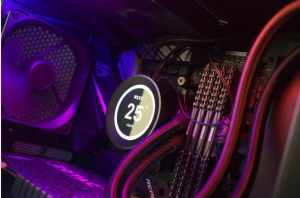

Overheating can cause performance issues and FPS drops during gaming sessions. Use monitoring tools like HWMonitor or MSI Afterburner to keep an eye on your system’s temperatures. Ensure that your CPU and GPU temperatures remain within safe limits by maintaining proper airflow, cleaning dust from cooling components, and, if needed, investing in additional cooling solutions like fans or liquid cooling.
Managing Background Processes
Background processes and applications can consume system resources, impacting gaming performance and FPS. Close unnecessary programs running in the background, especially resource-intensive applications like web browsers or video editing software. Disabling unnecessary startup programs can also free up system resources and improve gaming performance.
Upgrading Hardware
If your system consistently struggles to achieve satisfactory FPS, upgrading hardware may be necessary. Consider investing in a more powerful graphics card, increasing RAM capacity, or upgrading to a faster solid-state drive (SSD). Research hardware requirements for the games you play most frequently to determine which components will provide the most significant performance gains.
Conclusion
Boosting your gaming performance through FPS testing is a crucial step in maximizing your gaming experience. By using the right tools, understanding FPS benchmarks, optimizing in-game settings, updating drivers, monitoring system temperatures, managing background processes, and considering hardware upgrades, you can unlock the full potential of your gaming rig. Take the time to implement these techniques and tips, and prepare to elevate your gaming experience to new heights. Enjoy smoother gameplay and immerse yourself in the breathtaking worlds of your favorite games!


