





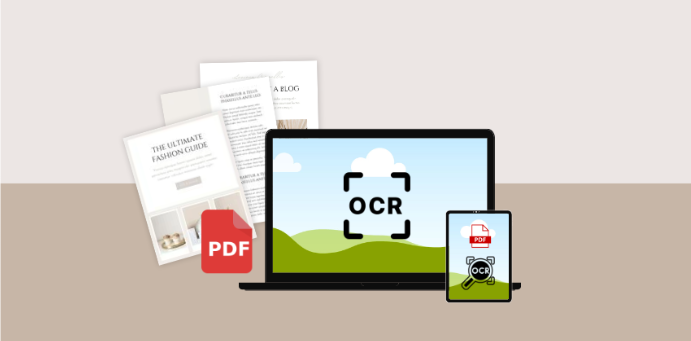


Surely on many occasions you have encountered the problem of having to digitize handwritten notes or texts in order to edit them on a PC or mobile phone. The same thing happens when we find specific texts that we want to edit, but they are in image format, so we will have to use OCR tools.
Well, for all this we can use certain applications specifically designed to help with these tasks. They are known as OCR software or Optical Character Recognition Applications. In fact, these are programs that are responsible for analyzing text written by us by hand or contained in images or a PDF file and converting it into editable text.
They are simpler and more complex, it will all depend on the additional functions they integrate. Remember that they are often not 100% effective, so do some interpretation of the errors. That’s why we can find some of these proposals that even put at our disposal a spell checker. Therefore, we will show you some of these solutions that will surely be very helpful.
The Best OCR for Windows
There are many OCR programs or tools that we can install on Windows and that will help us digitize our documents using our smartphone camera and Windows computer and turn them into digital text documents.
OneNote
Firstly, we will talk about one of the most important companies – Microsoft, the Windows system creator, and which also proposes its own character recognition solution. Specifically, this is something we can do from its note-taking platform, OneNote.
This is a signature tool that has its own OCR function, in addition to being very simple to use, which we will now check. As you know, it is a tool that focuses on creating personal notes in which we can integrate all kinds of elements.
FreeOCR
FreeOCR is a free program, this program has a great Spanish language engine that allows us to better digitize and recognize parts of Spanish text. FreeOCR is more up-to-date software than other options, which makes it perform better, but doesn’t mean there aren’t unrecognized parts of text.
SwifDoo PDF
SwifDoo PDF is a piece of software that allows you to convert PDF files to Word, Excel and other formats.
It also has an OCR function to convert scanned PDF documents into editable text, making it possible to copy/paste the converted texts directly within the converted copy file.
Thanks to text reading programs, we avoid many obstacles related to data processing. SwifDoo PDF OCR tool is an advanced feature that automatically detects information and processes data contained in a document without human intervention.
The OCR text scanning program retrieves data from the document and automatically loads it into the system, checking the correctness of the read data in the validation process. The SwifDoo PDF OCR tool is characterized by very high efficiency in recognizing characters even from difficult to read documents.
The Best OCR Apps for Mobile Phones
Google Lens
Google Lens is often installed immediately on the smartphone, next to other tools from this manufacturer. This program is used to recognize objects in photos, and one of its functions is to identify and extract text, which can then be copied to the clipboard.
In addition to the fact that it often does not require additional installation, Google Lens also has several other advantages. First of all, it is a clear interface that ensures simple and intuitive operation. When it comes to effectiveness, the program is above average.
Microsoft Lens
Microsoft Lens is even better at scanning and extracting text. Although it is a component of Office, there is no charge to use it and it can be downloaded separately. The program has several functions, including turning a photo into a DOCX or PDF document. Of course, we focused on another application.
Clean the scanner
Clear Scanner is one of those scanner apps that make a perfect receipt manager. This is especially true with Clear Scanner due to its built-in OCR function, so text from receipts is also recognized and imported.
You can use Clear Scanner while traveling to quickly capture receipts and save them as PDF or JPEG documents that you can attach to your expense reports.
The app automatically detects the corners of the bill because you only save the bill itself and nothing else that can save space on your mobile device. You can also edit the photo before saving it to your device.
The app also syncs with Dropbox, OneDrive, Google Drive, Evernote and other cloud services so you can access your accounts from anywhere.
And there are software packages intended not for general users, but for advanced ones like programmers who want to independently create OCR applications running in popular operating systems for mobile phones.
Small scanner
This is another very complete application that allows you to digitize in color, grayscale or black and white. It offers contrast filters for a realistic effect, and you can also adjust the document size to your desired format: A4 or letter, for example.
Applications for Translating Text on An Offline Scan
The ability to convert your receipts from paper to a digital format can make tracking your expenses much easier. With most apps offering the functionality to even automatically send these receipts to your expense reports, this can make your business trip easier.
Using most mobile solutions requires constant and stable access to the Internet. Mainly because these are online applications that download resources from a database located in the cloud in real time.
However, some mobile software allows you to use their capabilities offline. This is the case with Google Translate. In this case, it is enough to download language file packages so that the application can both recognize the text in the image and propose a translation.
Conclusions
Nowadays, everyone generates a huge amount of documents and spreadsheets, which ultimately take up a huge amount of space. This can be solved using an OCR tool, especially on a smartphone or a Windows computer. Which means we use it for book piracy or other similar purposes.


