







Technology has undoubtedly infiltrated every aspect of our lives, and this is especially true when it comes to our work. Office electronics like computers, keyboards and monitors have revolutionized how we perform our daily tasks and responsibilities by allowing us to do these more efficiently.
But while having these devices have significantly increased employee productivity, they can also quickly accumulate dust, dirt, bacteria and germs without us even realizing it. In order to maintain a clean workspace and prevent any illnesses or flus, while also ensuring their longevity, it’s important to regularly clean these devices.
Here’s how you can do it!
Step 1: Prepare the Desktop
Before cleaning, it’s important to make sure that everything has been shut down and unplugged in order to avoid any damage and accidents that could occur, especially when dealing with electrical appliances. When everything has sufficiently cooled down, you can use a clean microfiber cloth to gently wipe away and remove all the dust and debris laying on the surface.
When doing this, make sure to pay extra attention to the hard to reach corners and crevices, vents and ports where dust could have accumulated, and be careful not to apply too much pressure as this could only push the dust particles in deeper. Should you not have a microfiber cloth, a compressed air duster is a great alternative that can get the job done.
Step 2: Cleaning the Keyboard
To begin cleaning your keyboard, tilt the keyboard upside down and lightly shake it to remove and loose debris that could have lodged itself in between the keyboard buttons. When all the particles have fallen out, get a compressed air duster and use this to remove the dust lingering in between the keys.
And if you want a much deeper clean, lightly dampen a clean microfiber cloth with some isopropyl alcohol and use it to gently wipe the keys and surfaces before leaving it to dry. Make sure to not saturate the cloth too much as excess moisture can potentially damage the keyboard.
Step 3: Cleaning Your Monitor
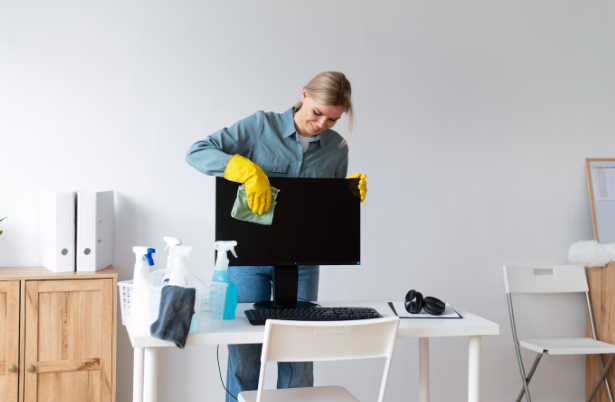
When cleaning your computer screen, you want to avoid moisture as much as possible. Simply get a clean microfiber cloth and wipe away any traces of dust and fingerprints off the monitor. In case you find some stubborn smudges, lightly dampen your cloth with a cleaning solution designed to clean screens and use this to gently wipe the glass in circular motions.
It’s important to handle your screens and monitors with the utmost care as these can be easily damaged. That means that you should avoid spraying any cleaning solution directly onto the glass and that you should only apply light and gentle pressure when wiping.
Step 4: Clean Your Computer Mouse
After gently shaking the mouse upside down to remove any loose dirt and debris, you can clean your computer mouse by getting a clean microfiber cloth and dampening it with water before using this to clean the exterior and the bottom. If you find some dust and grime in the scroll wheel, you can dampen a cotton swab with some isopropyl alcohol or a mild cleaning solution and use this to get everything out.
Step 5: Disinfecting the Area
After cleaning all the parts of your desktop, it’s important to also wipe away the general area in case any dust, dirt or grime from your cleaning fell onto this surface. Simply use a disinfectant wipe or a clean cloth dampened with a bit of mild cleaning solution and wipe everything down. Once that’s done, leave everything to dry completely before plugging your devices back in.
This is a simple and easy way to clean your workspace by yourself, but a professional cleaning service might be able to provide a much more thorough cleaning of your area.
Luce Office is an office cleaning service in Novena, Singapore that offers a wide range of professional and affordable cleaning packages and services to cater to your unique office cleaning needs. Our well-trained and professional staff of cleaners is equipped with years of training and experience to handle even the worst of messes so that your workspace stays clean and organized.
Send us a message and schedule a cleaning appointment today!
Read more: How to Clean a Flat Screen TV?


