


In this tutorial, I will show you how to scrape millions of public LinkedIn profiles using Python and a 3rd Party API.
Why are we using a 3rd Party API instead of a LinkedIn API?
3rd Party APIs are affordable and easy to use. They provide you with the ability to scale LinkedIn data at scale.
The problem with using LinkedIn’s API is –
1. It gives you very limited data.
2. Is very costly and thus most people avoid using their API.
There are a lot of web scraping APIs, that can scrape the web. However, there are very less APIs that can scrape LinkedIn data at scale.
Hence to handpick two APIs are there that can be significantly taken. Bright data and Scrapingdog, however, Brightdata again being a little on the pricy side, we choose Scrapingdog for this tutorial.
Let’s now start scraping LinkedIn data.
Requirements
I am assuming that Python is already installed on your machine. Now, create a project folder in which your Python file will be stored.
mkdir linkedin-scraper
Inside this folder create a python file by any name you like. I will be naming my file linkedin.py.
Now, install the requests library using pip.
pip install requests
As I said earlier, for this tutorial, we are going to use Scrapingdog’s LinkedIn Scraper API which will help us in extracting LinkedIn data at scale without getting blocked. You can even refer to the documentation of Scrapingdog before scraping any profile.
This API offers 1000 free credits on sign-up. You can sign up for the free pack from their homepage.
Scraping LinkedIn with Python
If you go through the documentation of the API you will find a Python code which I have given you below. You can just copy and paste this code into your Python file.
import requests
url = “https://api.scrapingdog.com/linkedin/”
params = {
“api_key”: “Paste-your-API-Key”,
“type”: “profile”,
“linkId”: “rbranson”
}
response = requests.get(url, params=params)
if response.status_code == 200:
data = response.json()
print(data)
else:
print(f”Request failed with status code: {response.status_code}”)
Do remember to use your own API key. Once you run this code you will get a beautiful JSON response like this.
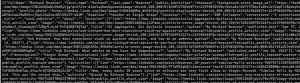
In this response, you will get every little detail from his/her work experience to the recommendation they might have gotten from their colleagues.
Now, what if you want to scrape their LinkedIn profile URLs as well? In this case, you can take advantage of Google Scraper API. Let’s understand this with an example.
Let’s say I want to scrape the LinkedIn profile URLs of 10 product managers who live in Las Vegas. Then I can scrape their URLs like this.
import requests
url = “https://api.scrapingdog.com/google/”
params = {
“api_key”: “Paste-your-API-Key”,
“query”: “site:linkedin.com/in product manager las vegas”,
“results”: 10,
“country”: “us”,
“page”: 0
}
response = requests.get(url, params=params)
if response.status_code == 200:
data = response.json()
print(data)
else:
print(f”Request failed with status code: {response.status_code}”)
After running this code you will get a JSON response that will look like this.
{‘organic_data’: [{‘description’: ‘A versatile leader and problem-solver with a proven record of success for over 13 years, specializing in product development, strategic marketing\xa0…’, ‘synopsis’: ‘Las Vegas, Nevada, United States · Sr. Product Manager – Ecommerce · Wynn Resorts’, ‘title’: ‘Ashley Miller – Sr. Product Manager – Ecommerce – Wynn …’, ‘link’: ‘https://www.linkedin.com/in/ashexpo’, ‘position’: 1}, {‘description’: “In my new product role at Zendesk I’m bringing all that experience to the core … Las Vegas. Prince’s Scottish Youth Business Trust Graphic. Volunteer\xa0…”, ‘synopsis’: ‘Las Vegas, Nevada, United States · Group Product Manager · Zendesk’, ‘title’: ‘Scott Allison – Group Product Manager – Zendesk’, ‘link’: ‘https://www.linkedin.com/in/scottallison’, ‘position’: 2}, {‘description’: ‘Michelle Raman. Product Manager at Aristocrat. Aristocrat. Las Vegas, Nevada, United States. 772 followers 500+ connections.’, ‘synopsis’: ‘Las Vegas, Nevada, United States · Product Manager · Aristocrat’, ‘title’: ‘Michelle Raman – Product Manager – Aristocrat’, ‘link’: ‘https://www.linkedin.com/in/michelle-raman-7200b59’, ‘position’: 3}, {‘description’: ‘Proven product manager with over 5 years of experience working in the B2C space around community, working with cross-functional teams in building 0-to-1\xa0…’, ‘synopsis’: ‘Las Vegas, Nevada, United States · Product Manager, Community Products · Stack Overflow’, ‘title’: ‘Jeff Tan – Product @ Stack Overflow’, ‘link’: ‘https://www.linkedin.com/in/jeff-tan-3b504b34’, ‘position’: 4}, {‘description’: ‘Communicator. Leader. Quick Thinker. Has a passion for Esports and innovation. Wants to change the world in and out of the gaming industry.’, ‘synopsis’: ‘Las Vegas Metropolitan Area · Product Manager · theDifference’, ‘title’: ‘Joshua Kaplan – Product Manager – theDifference’, ‘link’: ‘https://www.linkedin.com/in/joshua-kaplan-6ba821175’, ‘position’: 5}, {‘description’: “Proficient in software documentation and skilled in providing leadership during disaster recovery scenarios, I’m well-versed in visualizing solutions and\xa0…”, ‘synopsis’: ‘Henderson, Nevada, United States · Product Manager · .’, ‘title’: “Nicholi D’Amato – Product Manager”, ‘link’: ‘https://www.linkedin.com/in/nicholi-d-amato-540ba185’, ‘position’: 6}, {‘description’: ‘Joe Link. Unemployed · Leslie Tyma. Product Manager – Station Casinos · Brad Cameron. SVP, Software Engineering at Vertex, Inc. · Anita Abramyan, MBA. Las Vegas,\xa0…’, ‘synopsis’: ‘Las Vegas, Nevada, United States · TransAct® Technologies’, ‘title’: ‘Oliver Sangalang’, ‘link’: ‘https://www.linkedin.com/in/oliversangalang’, ‘position’: 7}, {‘description’: ‘Karin Matthews. Senior Product Manager at The Venetian Resort Las Vegas | Las Vegas Sands Corp. The Venetian Resort Las Vegas | Las Vegas Sands Corp.’, ‘synopsis’: ‘Las Vegas Metropolitan Area · Senior Product Manager · The Venetian Resort Las Vegas | Las Vegas Sands Corp.’, ‘title’: ‘Karin Matthews – The Venetian Resort Las Vegas’, ‘link’: ‘https://www.linkedin.com/in/karin-matthews-a704ba193’, ‘position’: 8}, {‘description’: ‘Bringing people together in Las Vegas design community. Board Member Aeris … Product Manager at Dynamis Solutions. Las Vegas, NV · Connect · Lisa Baumbusch, CPC.’, ‘synopsis’: ‘Las Vegas, Nevada, United States · Product Manager · LiveCarta’, ‘title’: ‘Olga Gonzalez – Product Manager – LiveCarta’, ‘link’: ‘https://www.linkedin.com/in/olgavgonzalez’, ‘position’: 9}, {‘description’: ‘High-energy Senior Product Manager with over 11 years of experience leading, building, and managing tech products and companies’, ‘synopsis’: ‘Las Vegas, Nevada, United States · Head of Product · Proof’, ‘title’: ‘Steven Lambert – Head of Product – Proof’, ‘link’: ‘https://www.linkedin.com/in/slambert42’, ‘position’: 10}]}
In this response, you will find a link property that stores the LinkedIn profile URL of each prospect.
Now you can pass this LinkedIn profile ID to the LinkedIn scraping API in order to scrape data from this profile.
Conclusion
This is a complete solution that can help you retrieve new prospects for either selling your own products or getting an in-depth overview.
Scraping LinkedIn at scale is not possible without these LinkedIn scrapers. Integrating these APIs is super simple as you can just copy and paste the code directly into your coding environment from documentation.
