


Hard drives, or hard disk drives (HDDs), are one of the many options available for storing data. They offer advantages such as large storage capacity, portability, high performance and easy access to data.
Unfortunately, there are many ways for a hard drive to malfunction or “die.” In this article, we provide an overview of hard drive data recovery and their possible failures, data recovery solutions, hard drive data recovery steps, and much more.
A hard drive is a fundamental component of modern computer systems that stores and retrieves digital data. It operates on electromagnetic principles and consists of several main components, each with failure conditions and possible recovery options.
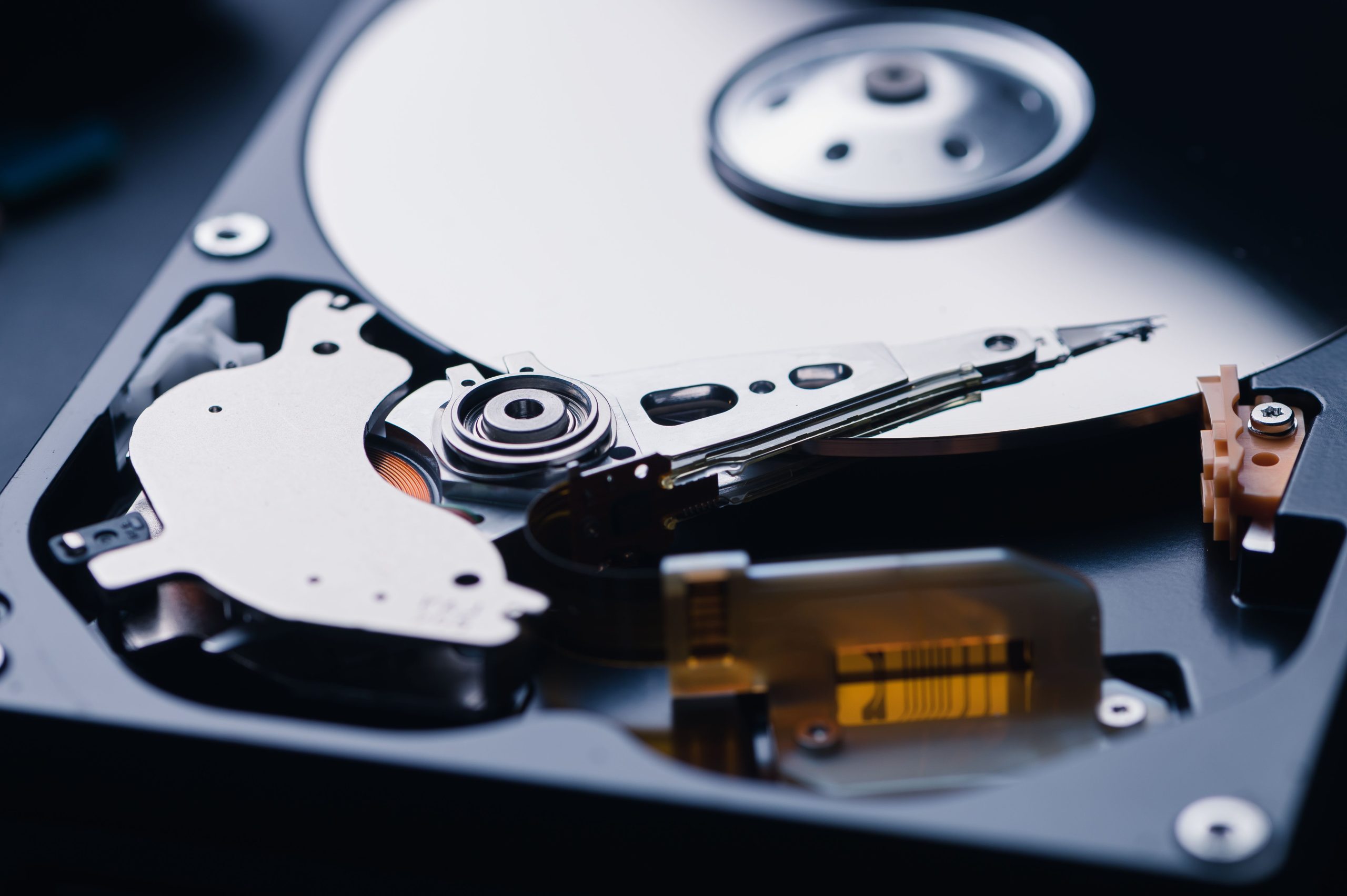
The main component of a hard drive is the platter, a circular, rotating metal disk covered with a magnetic material. Data is stored on this platter in the form of magnetic patterns using an actuator arm equipped with read/write heads, which sit just above the surface of the turntable, but never touch it.
When data is read or written, the arm precisely positions the heads to read or modify the magnetic patterns. The unit’s spindle motor spins the platters at high speeds, typically between 5,000 and 15,000 RPM.
The logic board acts as the brain of the hard drive, controlling the flow of data between the computer and the storage media, converting digital signals into magnetic patterns and vice versa. Through this intricate process, hard drives efficiently store and retrieve large amounts of data.
Additional Recovery Fixes
Troubleshooting Data Corruption
Data corruption can manifest as errors, crashes, or inaccessible files. Unusual behavior, frequent system crashes, or unexpected errors during file access may indicate that data is corrupted.
If data loss is caused by driver-related software issues, reinstalling or updating drivers can often resolve the issue and recover data. Firmware updates can also sometimes resolve driver issues.
Open source data recovery programs such as TestDisk or PhotoRec can help repair corrupted files by identifying and rebuilding damaged file structures. These programs try to save data by analyzing and recovering the intact parts of damaged files. Mac users can also use Disk Utility’s built-in first aid feature to check and repair disk permissions and file system errors. It can help resolve common problems and recover data from minor file system problems.
Ransomware and malware attacks can encrypt or lock data, demanding a ransom for its release. Open source ransomware recovery tools, such as the no more ransom project, provide decryption keys for specific strains of ransomware, allowing affected users to recover their data without paying the ransom.
Hard Drive Data Recovery Services
Professional data recovery services specialize in recovering lost, damaged or inaccessible data from failed hard drives, solid state drives or other storage media. These services employ advanced techniques, specialized tools, and clean room environments to recover data safely and efficiently.
When standard DIY or open source recovery methods are ineffective or risk worsening the situation, you may want to seek professional help to recover your data. Examples include severe physical damage, unusual noises coming from the drive, failure to detect the drive, or if valuable data is at stake. Trying to do a recovery on your own without experience can also lead to permanent data loss.
When selecting a data recovery service, consider factors such as the provider’s reputation, experience, success rate, security measures, confidentiality guarantees, pricing structure, and scope of customer service. A reliable service provider typically offers free evaluations, transparent communication throughout the process, and policies that ensure you only pay if data is successfully recovered.
Find The Best Data Recovery Option For Your Hard Drive
Data protection and backup strategies are essential to prevent data loss. However, if you discover that you have a dead hard drive and need to access the data on the drive, consider using an open source data recovery solution. This type of data recovery software offers cost-effectiveness, transparency, and community support, making it the preferred choice for many users.
If you find that you cannot recover data from a damaged or dead hard drive, or do not want to risk the possibility of permanently losing data, seek expert help. It is crucial to prioritize preventative measures, regularly test backups, and not hesitate to seek professional help for hard drive data recovery when necessary to safeguard valuable data.
