





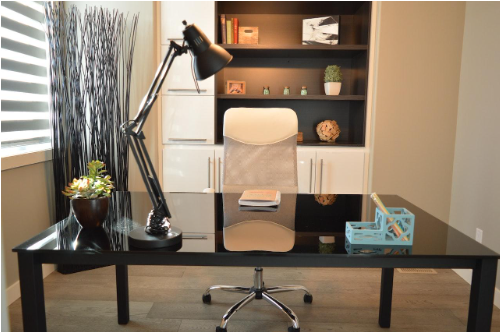


Do you want the ideal office setup with the most effective tools driving optimal productivity? Working from home can be challenging, especially if you don’t have the right resources.
With proper equipment and organizational strategies in place, however, anybody can create a productive and comfortable work-from-home environment.
From ergonomic furniture and modern tech gadgets to efficient storage solutions and filing systems – take a look at this guide on how to design the perfect home office for maximum efficiency:
Invest in a Comfortable, Ergonomic Chair and a Supportive Desk
Not only do these essential tools lessen physical stress, but they also help to increase focus and concentration – key elements when it comes to getting effective results.
An ergonomic chair keeps your spine aligned in the most natural position while letting your head, back, arms and legs adopt the best posture so you can work for longer hours with ease.
On the other hand, adjusting your desk to an appropriate height reduces strain felt in your neck, arms and shoulders as you remain stationary for extended periods of time key tasks.
If procured correctly, these tools are definitely worthy of their cost and provide seamless use. So start preparing yourself for maximum productivity today by investing in a quality comfortable chair and supportive desk!
Ensure Good Lighting for Your Workspace
Lighting has been shown to affect one’s mood and productivity levels. Natural lighting is best; open up those blinds or curtains! If available, use full-spectrum lights that mimic natural sunlight. Avoid fluorescent lighting which can be harsh on eyes over long periods of time.
Invest in Noise-Cancellation Headphones
Noise can be one of the biggest productivity killers; invest in noise cancellation headphones to block out disruptive noises from outside and inside the house. Choose headphones with built-in microphones so you can communicate with colleagues or family without taking them off.
Use a PDF Software for Quick File Sharing
PDF software like SODAPDF offers plenty of features for quickly sharing documents online. It also allows you to create passwords to protect sensitive information within documents and fillable forms for customers or clients to complete digitally.
Look for software with cloud storage options so you can access files anytime, anywhere.
Upgrade Your Computer with an SSD Drive for Faster Load Times
An SSD drive will boost the performance of your computer by providing faster load times and more storage space. This will make tasks such as file sharing, video conferencing and multitasking much easier – no more waiting minutes for programs to load!
Plus, an SSD drive doesn’t generate heat like traditional hard disk drives do which can save energy costs in the long run.
Utilize Task Management Software to Keep Track of Tasks
Task management software makes it easy to keep track of tasks, manage deadlines and collaborate with colleagues remotely.
Most task management software have features such as automated notifications when due dates are approaching or tasks are overdue which help ensure projects remain on track even when working remotely.
Additionally, many task management software offer project visibility features so all stakeholders are aware of what needs to be done at any given moment making collaboration simpler than ever before!


