


In the world of disk management and partitioning, having a reliable and user-friendly tool is essential. Managing disk partitions efficiently is crucial for both personal and professional users. Whether you need to resize, merge, split, or format partitions, having a reliable and user-friendly partition manager software is essential. MiniTool Partition Wizard stands out as an exceptional tool in this domain, offering powerful features, ease of use, and affordability, all bundled into a free package. This article explores how MiniTool Partition Wizard empowers users to take control of their disk partitions effectively.
- Streamlined Interface and User-Friendly Experience
One of the standout features of MiniTool Partition Wizard is its intuitive and user-friendly interface. The partition software presents a visually appealing layout that makes it easy to navigate and understand. The main screen displays all the available disks and partitions in a clear and organized manner, allowing users to perform actions with just a few clicks. Whether you are a novice or an experienced user, the software’s simplicity ensures a seamless partition management experience.
- Comprehensive Partition Management Features
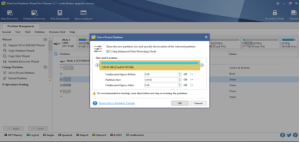
MiniTool Partition Wizard offers a comprehensive set of partition management features that cater to a wide range of user needs. Users can easily resize partitions to allocate free space or shrink them to create unallocated space. The software also enables merging multiple partitions into a single one for better disk organization. Additionally, splitting large partitions into smaller ones or converting partition types becomes a hassle-free task with MiniTool Partition Wizard. The software also facilitates formatting partitions to different file systems, such as NTFS, FAT32, and exFAT, ensuring compatibility across various operating systems.
- 3. Data Protection and Recovery
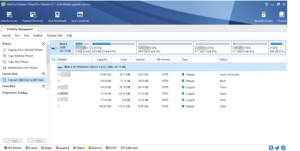
Accidental data loss is a nightmare for any computer user. MiniTool Partition Wizard understands this concern and incorporates features to protect and recover data effectively. The software provides a “Move/Resize Partition” function that ensures data integrity during resizing operations. It also includes a “Partition Recovery Wizard” that assists users in recovering lost or deleted partitions with ease. By implementing these safeguards, MiniTool Partition Wizard ensures that users can perform partition management tasks without compromising their valuable data.
- Disk and Partition Cloning
Creating backups and migrating data between disks are common requirements for many users. MiniTool Partition Wizard excels in these areas, offering disk cloning and partition cloning functionalities. Disk cloning allows users to create a complete copy of one disk onto another, making it an ideal solution for upgrading to a larger disk or replacing a failing one. Partition cloning, on the other hand, enables users to duplicate a specific partition to another location, preserving its content and structure. These cloning features enhance data protection and simplify the process of disk or system migration.
- Advanced Functionality and Premium Features
While MiniTool Partition Wizard provides an excellent set of features in its free version, it also offers advanced functionality and premium features in its paid editions. The paid versions include features like dynamic disk management, converting dynamic disks to basic disks, converting system disks between MBR and GPT, and recovering data from damaged or formatted drives. These premium features cater to the needs of power users and IT professionals, making MiniTool Partition Wizard a versatile tool for all levels of users.
Conclusion
MiniTool Partition Wizard has established itself as a leading free partition manager software by offering a powerful, user-friendly, and feature-rich solution. With its streamlined interface, comprehensive partition management features, data protection capabilities, cloning functionality, and additional premium options, MiniTool Partition Wizard empowers users to take full control of their disk partitions efficiently and effectively. Whether you are a casual user or an IT professional, this software provides all the tools necessary to manage disk partitions with ease and confidence.
