

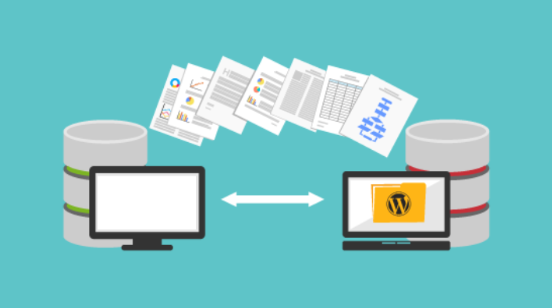

In this rapidly digitalising world owning a website is a must for both individuals and businesses. However, creating and managing a website can pose challenges. For those seeking to improve its functionality, migrating their current website to WordPress.com can be an ideal solution. Moreover, customization options and an overall better user experience are this platform’s key features. It has easy-to-use interfaces and a vast selection of themes and plugins. WordPress.com offers flexibility and scalability to accommodate your growth and evolving needs in WordPress Website Development regardless of your requirements.
You can smoothly transition your site to WordPress.com without losing any data or disrupting your online presence. Successful execution of this task requires meticulous planning, comprehensive preparation, and adopting the appropriate approach. WordPress.com not only creates visually appealing, functional websites without advanced coding skills but also offers robust security features.
Referring to this blog post can serve as your trusted companion throughout the entire migration process. So, come and join us in this journey together to transform your website into a dynamic and powerful online presence with WordPress.com.
Let’s start!
Optimal Approach For Migrating Your Site to WordPress.Com:
In this segment, we’ll cover the optimal approach for migrating your existing site to WordPress.com. It’s a systematic process that we have explored in detail.
Step 1: Create A New WordPress.Com Account:
It is indeed very convenient, easy, and quick to set up a new WordPress.com site. To get started, navigate to the website and proceed with signing up by providing the required information. Next, choose a plan that aligns with your specific needs and budget. You can either pick a domain name from a free subdomain or use a custom domain. Design templates can also be picked accordingly.
Your site settings must be configured which includes privacy, search engine visibility, and other preferences. Installing plugins and themes can enhance your site’s functionality and appearance. Consulting WordPress Services in Singapore can help customise and optimise your website to achieve your goals.
Step 2: Export Your Existing Site’s Content:
You must perform an export from your current platform to transfer your existing website’s content to WordPress.com. You can use built-in options or plugins available in your current Content Management System mainly to extract your website’s content. To preserve the necessary data and formatting the exported content is saved as an XML file. You can proceed with the import process in WordPress.com to transfer the content into your new site once attaining the XML file.
Step 3: Import Your Content to WordPress.com:
Access the ‘Import’ tool after logging in to your account to import your previously exported content. . WordPress.com will handle the rest after uploading the XML file containing your exported content. It will automatically extract and import your posts, pages, comments as well as categories. WordPress.com makes it easier to seamlessly transfer your content hence maintaining your online presence. It provides a user-friendly interface and streamlined process.
WordPress Development Services facilitates a smooth transition by extracting and importing your content, freeing up your time to focus on your online presence. Sign in and use the ‘Import’ tool for uploading XML files and follow the preceding steps. WordPress.com will take care of everything on its own.
Step 4: Customise Your WordPress.com Site:
WordPress.com offers a vast range of themes to choose from which you can conveniently customise to make them your own. Change the colours, fonts, layout and more to match your brand or personal style. The small blocks of content to display things like recent posts, social media or a search bar are known as widgets.
Many software companies provide WordPress Development services to create your own or choose from a variety of widgets. The software extensions that can add new features and functionality to your site are termed plugins. WordPress.com allows you to select pre-approved ones to be installed and activated with a few clicks.
Step 5: Set Up Redirects and Domain Mapping:
It is simple to set up redirects and domain mapping on WordPress.com. To add or map a domain, access your dashboard, select “Settings” > “Domains,” and then follow the on-screen instructions. If changing to a new domain, configure redirects to seamlessly forward traffic.
Enhance the professional appearance of your website by mapping a custom domain to it, giving it a personalized web address. A WordPress development agency guarantees a seamless transition and keeps your website visible.
Step 6: Review and Launch Your WordPress.com Site:
To make sure that everything is working correctly, testing your new site and performing post-launch checks are critically important. Testing all the features and functionalities of your website including navigation, forms, search functionality, contact forms, and interactive elements are important aspects.
Testing your website on different devices to check responsiveness is equally important. Different web browsers like Firefox, Chrome, Safari, etc. must be compatible with your WordPress.com site. A reliable WordPress development company ensures the cross-browser compatibility of your website. Review your website’s metadata which includes titles, descriptions and keywords to ensure they are optimised for search engines. Also, proper indexing of your pages is necessary.
Evaluate the loading speed of your website and enhance its performance by compressing images, minifying CSS and JavaScript files, and implementing caching techniques. This would ensure a great user experience.
Conclusion:
In summary, migrating your existing website to WordPress.com with the assistance of a reputable WordPress website development Company can greatly enhance your online presence. Their expertise can provide a smooth transition thus ensuring a high-quality site. You can benefit from their professional guidance and customisation services aligned with your unique needs by leveraging their services. To create a dynamic & engaging online presence for your business or personal website, leverage the robust features and flexibility offered by WordPress.com. Hire a trusted WordPress Development company to get a competitive edge and flourish your online business.
