

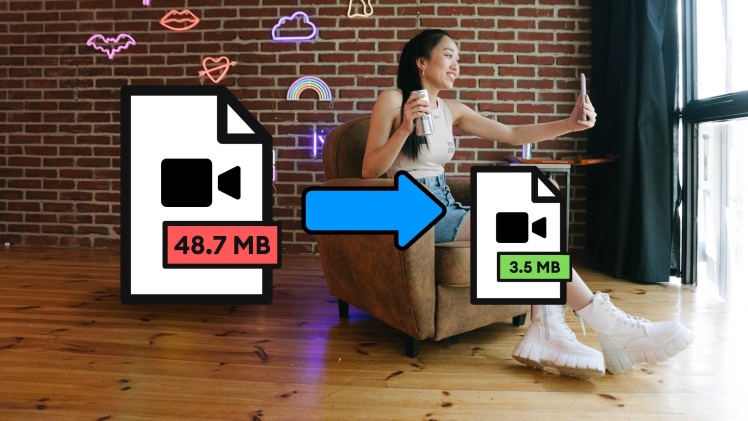

We come across multiple images during our everyday life. We click some images to memorize awesome moments occurring in life while we see many images featuring information, a person, object, or location that interests us. Additionally, websites active these days are loaded with a number of images. Not to mention the ecommerce websites selling various products online, such platforms display multiple images of products to give you a 360° view. In addition, you see multiple images on social media. Simply put, images have become an essential part of our life.
Websites display them to make their content engaging and keep the visitors around. Ecommerce stores display them to showcase the products the right way. We keep them to store memories and important documents digitally. We often share these pictures using email and other online platforms. However, despite the importance of images in our life, they also become the reason for a serious challenge. This challenge is the compensation of storage space due to high-quality images with larger file sizes. The only way to deal with this issue is image compression.
Image compression allows us to share multiple images through email and other messenger applications in one go easily. The process also allows us to get images with smaller file sizes but optimum quality to ensure faster loading speed of websites.
Moreover, images with smaller file sizes due to image compression are easier to store digitally as they don’t require huge storage space.
However, the problem with most people is their need for more awareness regarding the best image compression tool that can help them reduce photo sizes.
We have discussed a few of them in this article to help you.
Read on to learn more.
-
DupliChecker
DupliChecker is a renowned platform used by millions of users worldwide because of the valuable tools it offers for free. The image compressor offered by Duplichecker is also a helpful tool that can help you compress photo sizes as per your requirements. However, the best part about this tool is its accessibility through any device.
As it is a web-based tool that doesn’t require any installation on the device, you can access it through a smartphone, PC, or tablet. Hence, no matter which device you use, the online image compressor by DupliChecker is available to help you reduce the photo size.
It has a user-friendly interface suitable for all devices regardless of their display sizes. It is also available in multiple languages. It allows you to compress multiple formats of images, including JPG, PNG, and GIF. You can choose the compression mode and quality while reducing photo size through this photo compressor.
It also offers a batch compression feature to help you compress multiple images in one go. Simply put, it can be the perfect tool to help you reduce photo sizes.
-
CompressNow
The website is specifically developed to host an efficient online compressor, as you can understand after reading its name. You may have yet to hear much about this website and the image compressor it offers, but it earns its spot on our list because it is worth a try. You can compress the image size up to 9 MBs with this tool. Hence, it can be a handy tool to reduce photo sizes without compromising their quality.
Because of its online availability, the tool can be used for image compression through various devices, including smartphones, PCs, and tablets. It comes with a fairly easy interface that is understandable by most users. It can help you compare the original image and the compressed one to assess the quality of both by displaying them in parallel. It also allows you to compress multiple images in one go.
-
JPEG Optimizer
This image compressor is specially designed to deal with larger sizes of JPEG photos, as its name suggests. Although this image compressor doesn’t reduce the photos’ sizes in other formats, it performs its job efficiently for JPEG images.
Moreover, it is an online tool and accessible through various devices. The default compression of JPEG images done through this tool is 65%. However, according to your needs, this configuration can be changed from 1% to 99%.
This tool also allows users to set the threshold for the maximum size of compressed images. The default settings of this image compressor can easily compress photo sizes to almost half of the originals without making any visible change in the quality.
Therefore, you can use it for free and compress your JPEG images easily. Furthermore, this tool also offers the option to resize the dimensions of photos to be compressed through it. Hence, it is a perfect compression tool for you.
-
Optimizilla
Optimizilla is the website’s name that offers users a highly reliable image compressor. You can access it online easily and compress your images. This tool can compress images in multiple formats, including JPEG, PNG, and GIF. You can add 20 images for the compression process in one go. Additionally, it displays all the images in the form of a slider to help you check the progress of individual photos.
If you don’t want a particular image to be compressed using default presets, you can change the percentage and reduce its photo size according to your requirements.
The slider functionality allows you to view the percentage used to compress individual images, making the process even easier. The tool can be accessed through various devices, which you can use for free to compress images.
